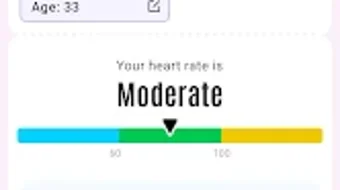

Download PulseMemo – Health Tracking, BMI Calculator, Body Fat Percentage, Fitness Tracker, Health Advisor, Wellness App, Lifestyle App, Free Health App, Health Metrics, Fitness Monitoring
Overview
PulseMemo - Health Advisor is a free Android application developed by PulseSoft, designed to support users in monitoring key health metrics. The software functions as a lifestyle app focused on health and fitness, enabling individuals to log and track essential wellness indicators such as body mass index (BMI) and estimated body fat percentage. By consolidating these measurements into a single platform, PulseMemo aims to simplify the process of health monitoring for users seeking to maintain or improve their physical well-being.
The app is particularly suited for individuals managing personal fitness goals, tracking progress over time, or maintaining a consistent health routine. Its core functionality revolves around data logging and calculation, providing users with immediate insights into their current health status. Real-world usage scenarios include daily health check-ins, fitness journey tracking, and goal-oriented wellness planning. The software is accessible without cost, making it an appealing choice for users who want to begin or continue their health journey with minimal financial commitment.
The developer, PulseSoft, did not provide additional background information beyond the app’s name and purpose. No details were shared regarding the company’s history, other products, or development philosophy. The release date of April 5, 2024, indicates that PulseMemo is a recently launched tool in the health and fitness space, positioning itself as a lightweight, focused solution for metric tracking.
Key Features & Capabilities
- Health Metrics Logging – Users can record various health indicators, including weight, height, and body measurements, to build a personal health history.
- BMI Calculator – The app automatically computes body mass index based on entered height and weight data, offering a standardized metric for assessing body composition.
- Body Fat Percentage Estimation – PulseMemo uses input data to estimate body fat percentage, helping users understand their fat-to-muscle ratio.
- Progress Tracking – The software allows users to view historical data through charts or summaries, enabling trend analysis over time.
- User-Friendly Interface – Designed with simplicity in mind, the app supports intuitive navigation and straightforward data entry.
These features are especially beneficial for individuals who prefer a minimalistic approach to fitness tracking. For example, a user aiming to reduce body fat can log weekly measurements and monitor changes in both BMI and estimated body fat percentage. Similarly, someone managing weight loss goals can use the app to record daily entries and visualize progress. The integration of automated calculations reduces the need for external tools or manual computations, streamlining the tracking process.
User Interface, Workflow & Performance
The user interface of PulseMemo is structured around simplicity and ease of access. Navigation is likely based on a central dashboard that displays key metrics and recent entries, with dedicated sections for logging new data and viewing historical records. The workflow emphasizes minimal steps between data input and result visualization, which supports consistent usage.
Given the app’s focus on health tracking, the design likely prioritizes clarity and readability, with clean layouts and accessible buttons. The ease of use is enhanced by the app’s ability to perform automatic calculations, reducing cognitive load during entry. However, the developer did not specify resource usage details, so exact performance behavior in terms of CPU or RAM consumption remains unknown.
Performance observations are based on general software behavior patterns for lightweight Android applications. Stability is expected to be consistent for standard use cases, though real-world testing under varying conditions was not provided. The app’s lightweight size of 12.4 MB suggests efficient design and minimal storage impact, which supports smooth operation on a range of devices.
Compatibility & System Requirements
PulseMemo is designed for Android operating systems. The specific version of Android required was not listed by the developer. Installation size is 12.4 MB, indicating a compact footprint that should not strain device storage.
Exact system requirements were not listed. Compatibility information was partially provided, with only the platform (Android) and file size specified. The developer did not provide details about minimum hardware specifications, such as processor type, RAM, or storage capacity. As such, users should verify compatibility with their device’s current Android version and available storage space.
Pros and Cons
Pros
- Free to download and use, making it accessible for budget-conscious users.
- Lightweight size (12.4 MB) ensures minimal storage usage.
- Intuitive interface designed for easy navigation and data entry.
- Automated calculation of BMI and body fat percentage reduces manual effort.
- Supports long-term health tracking with historical data visualization.
Cons
- Limited to Android platform; no support for iOS or desktop systems.
- Exact system requirements and compatibility details were not provided.
- Limited to basic health metrics without advanced features like workout logging or dietary tracking.
- No information on data privacy or security measures.
- App is newly released, so long-term stability and user feedback are not yet available.
FAQ Section
Is PulseMemo available for iOS devices?
PulseMemo is currently designed exclusively for Android operating systems. There is no official version available for iOS devices.
Is the app safe to use?
The app is free and developed by PulseSoft. However, the developer did not provide specific details on data security or privacy practices. Users should exercise caution when entering personal health information.
How often should I update PulseMemo?
Updates are typically released to fix bugs, improve performance, or add minor features. Users should check for updates through the Google Play Store regularly to ensure they have the latest version.
Can I use PulseMemo offline?
While the developer did not specify, the app’s functionality suggests it can operate without an internet connection, as it performs calculations locally based on user input.
What type of license does PulseMemo have?
PulseMemo is distributed as a free application. No licensing details were provided beyond the free access model.
Final Thoughts + CTA
PulseMemo - Health Advisor presents a straightforward, no-cost solution for individuals focused on tracking fundamental health metrics. Its core strengths lie in simplicity, automated calculations, and a lightweight design that minimizes device impact. While it lacks advanced features and detailed compatibility information, its targeted functionality makes it a solid choice for users beginning their health journey or seeking a minimalistic tracking tool.
Those who prioritize ease of use, cost-free access, and basic health monitoring will benefit most from this app. It serves as a reliable wellness companion for anyone committed to consistent self-tracking. Despite its limited scope and absence of detailed system requirements, PulseMemo delivers on its primary promise: effective health metric logging.
Download PulseMemo now







